
Export financial reports
How to choose a period and export appointment, expense, and shop data to PDF or Excel
What report export is for
Export creates a separate file containing data for the selected period. You can save it, review it, send it to an accountant, or use it for your own analysis.
Available reports
Choose the data and the appropriate format
Appointments — PDF
A ready-to-read appointment report
Appointments — Excel
An appointment table for filtering and calculations
Expenses — Excel
A table of expenses, categories, and amounts
Shop — PDF
A report of sold products and shop revenue
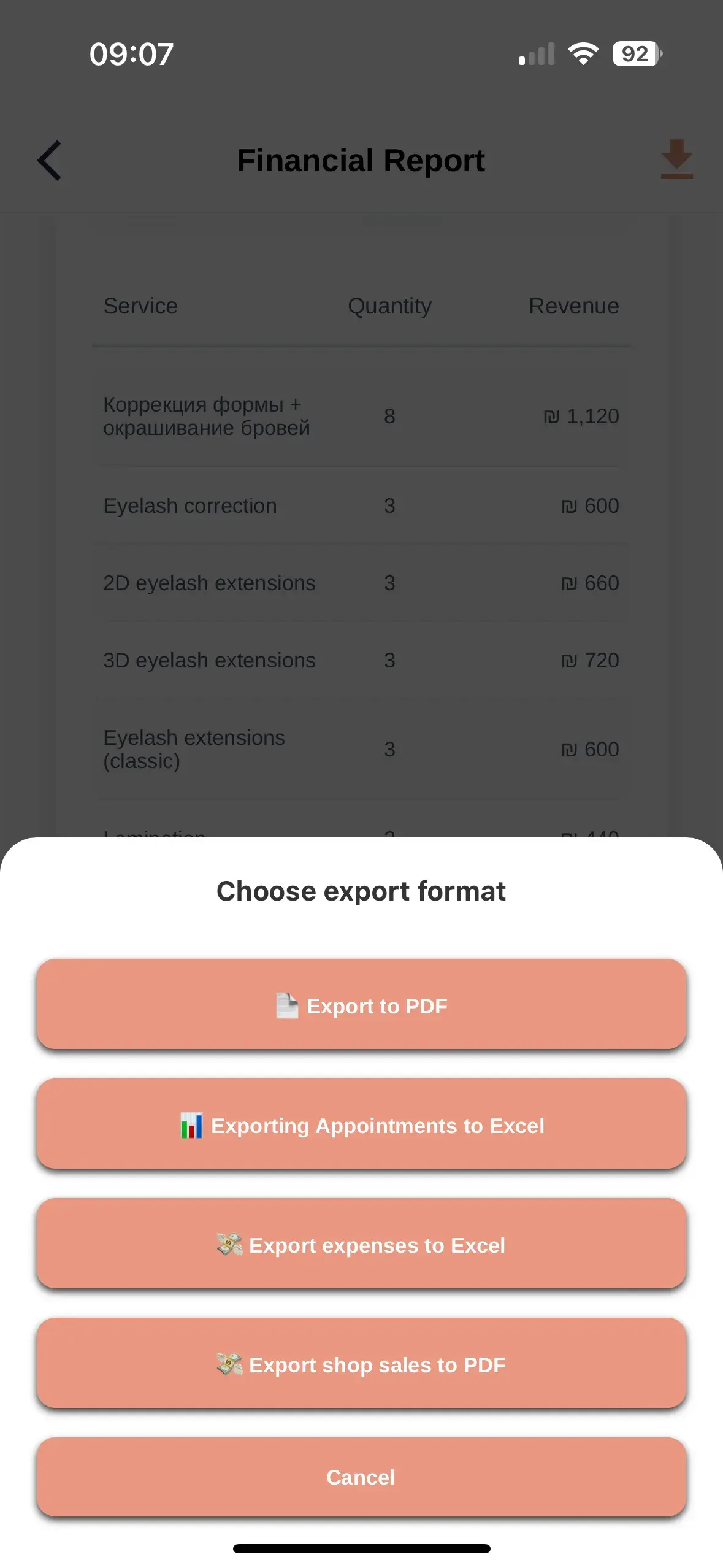
How to export a report
- Open Finance
- Go to report export
- Choose the report type
- Select the required period
- Read the notice and confirm that you want to continue
- Download the completed file
What the files contain
The contents depend on the selected report
Appointments PDF
The period, overall totals, and appointment list in a readable layout
Appointments Excel
Rows and columns with appointment data for further processing
Expenses Excel
Dates, categories, suppliers, payment methods, and expense amounts
Shop PDF
Products sold, quantities, and total revenue
PDF and Excel
Best for viewing, printing, and sharing a finished report
Excel
Best for sorting, filtering, and additional calculations
Access and confirmation
Financial data export is available to the business owner. Before creating a file, the system asks you to acknowledge a notice.
ZmanUp is not an accounting system. Exported reports are not tax documents and are not submitted automatically to tax authorities.
If the file was not created
No data
Check whether the selected period contains any transactions
Incorrect period
Check the start and end dates
Download did not start
Try again and check whether your browser allows downloads
No access
Make sure you are signed in with the owner's account
Report recommendations
Choose an exact period
This reduces file size and makes review easier
Use clear filenames
Include the report type and period in the filename
Verify the data
Compare totals with the financial summary before sharing
Store files safely
Files may contain financial and client data
Exports complement the financial summary
Use reports for review and analysis, and discuss accounting or tax matters with a qualified professional.