
Client history
All client visits, payments, cancellations, purchases, and notes in one place
What client history is
Client history keeps a chronological record of your work with a client. You can review past and upcoming appointments, completed services, payments, cancellations, no-shows, purchases, and saved notes.
What appears in the history
The client's main events
Visits
Past and upcoming client appointments arranged by date
Payments
Service totals and saved payment information
Cancellations
Canceled appointments and their recorded reasons
No-shows
Appointments the client did not attend
Purchases
Products and additional items purchased by the client
Notes
Important information saved with an appointment
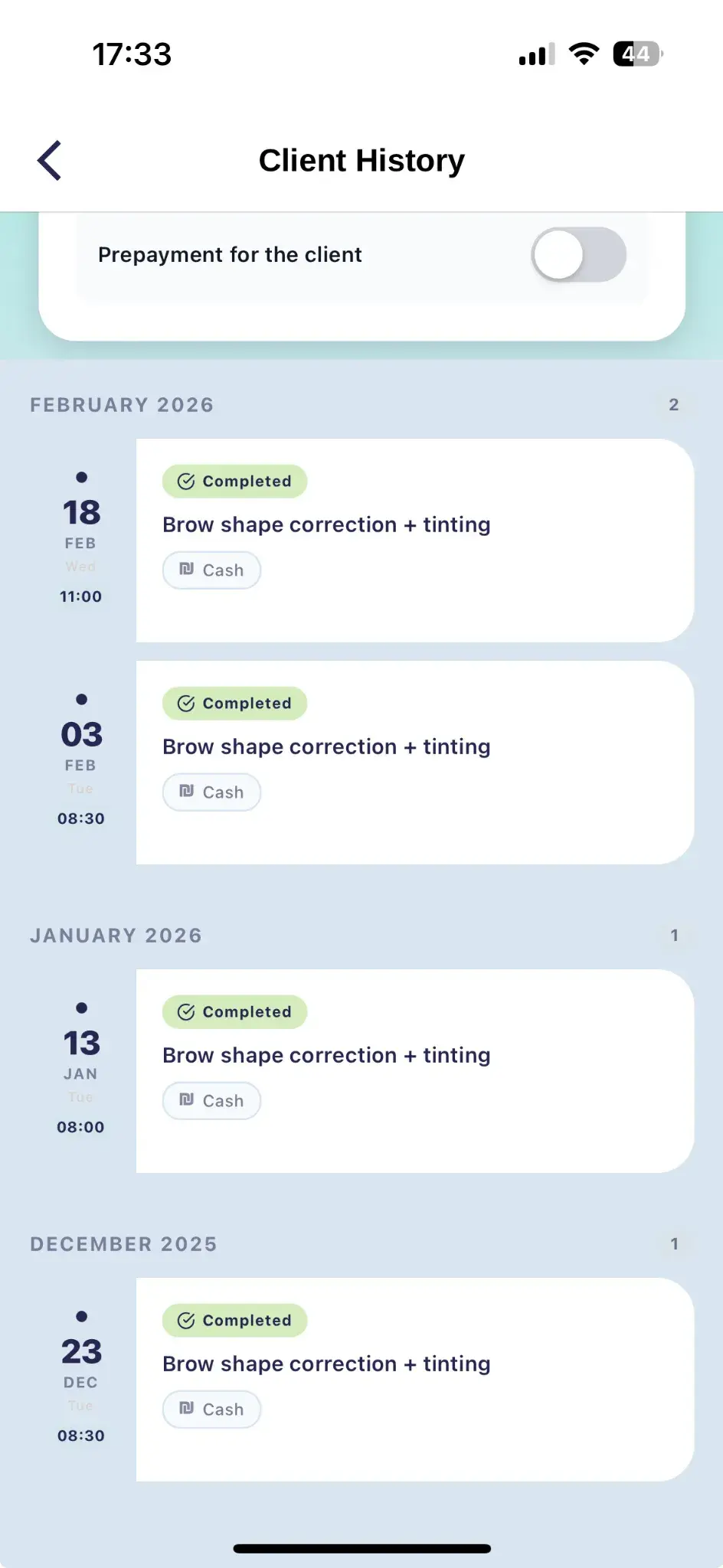
How to open the history
- Open the Clients section
- Find the client by name or phone number
- Open the client profile
- Select Visit history
- Choose an appointment to view its details
Search and filtering
Find the right appointment quickly
When a client has many visits, use the period and event type to keep only the relevant records on screen.
You can review the history by:
- Date or selected period
- Appointment status
- Completed service
- Event type: visit, cancellation, no-show, or purchase
Appointment details
What you can see after opening an event
Date and time
When the appointment was created or scheduled
Service
Which service was selected for the client
Price
The final service amount including any changes
Payment
The saved payment method and payment state
Status
Scheduled, completed, canceled, or marked as a no-show
Notes
Additional information about that specific visit
Open a canceled appointment in the history to see its recorded cancellation reason. This helps you understand why the client did not attend and identify repeated cancellations.
How to use the history in your work
- Recall which services the client received before
- Check the price and payment details of a previous appointment
- Review cancellations, no-shows, and cancellation reasons
- Prepare for the next visit using previous notes
- Review purchases and choose a suitable repeat offer
Usage examples
💬 Repeat treatment
Review the date and details of the previous treatment to schedule the next one correctly.
💬 Repeated cancellations
Check the cancellation history and reasons before confirming a new appointment.
💬 Product recommendation
Review the client's previous purchases to recommend a suitable product again.
History keeps your client work connected
Add clear visit notes and update appointment statuses accurately. This keeps the client history reliable and useful for you and your team.