
Client profile
All client details, history, statistics, and settings in one place
What the client profile contains
The client profile combines contact details, appointments, financial metrics, purchases, questionnaires, progress, and individual client settings.
Client details
Basic and additional information
First name, last name, and phone number
Additional information about the client
Client Instagram account
Client profile photo
The source the client came from
Total revenue from the client
Current client debt
Separate first and last name for receipts
If a tax document requires a different spelling of the name, you can save it separately. These details are used when creating a receipt and do not change the client's calendar name.
Photo, status, birthday, and tags
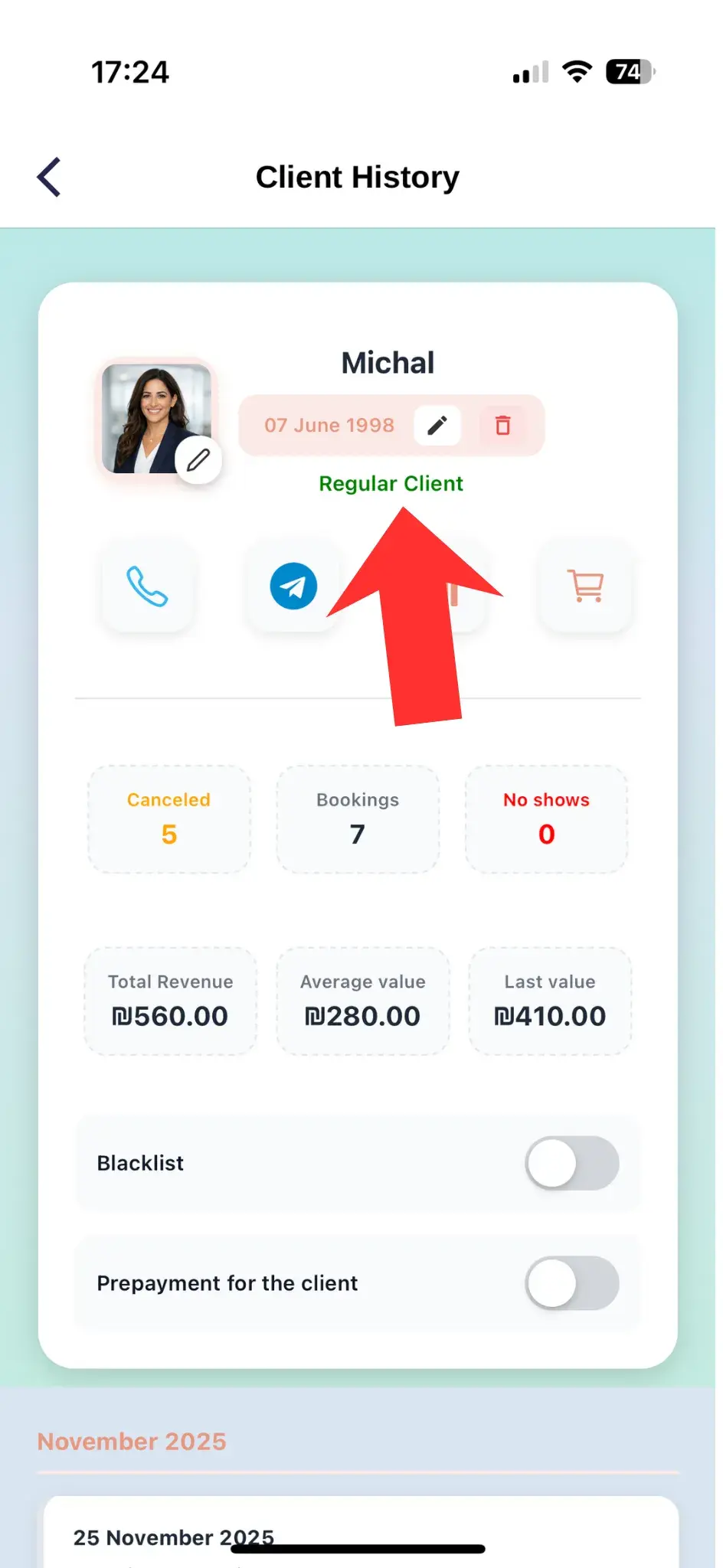
A photo helps you recognize the client quickly, while their status shows how actively they return.
New client
The client was recently added or has just started booking
Regular client
The client visits you regularly
Lost client
The client has not returned for a long time
🎂 Birthday
The birthday is stored in the profile so you can congratulate the client or prepare a personal offer on time.
🏷️ Client tags
You can select or create a custom tag and icon. The icon also appears on the client's appointment in the calendar.
Quick actions and client tools
Key sections are available directly from the profile
Call the client using their saved phone number
Open a WhatsApp conversation with the client
View the client's progress
Open the client's questionnaire and answers
View the client's orders and purchases
Client statistics
Appointments, money, and purchases
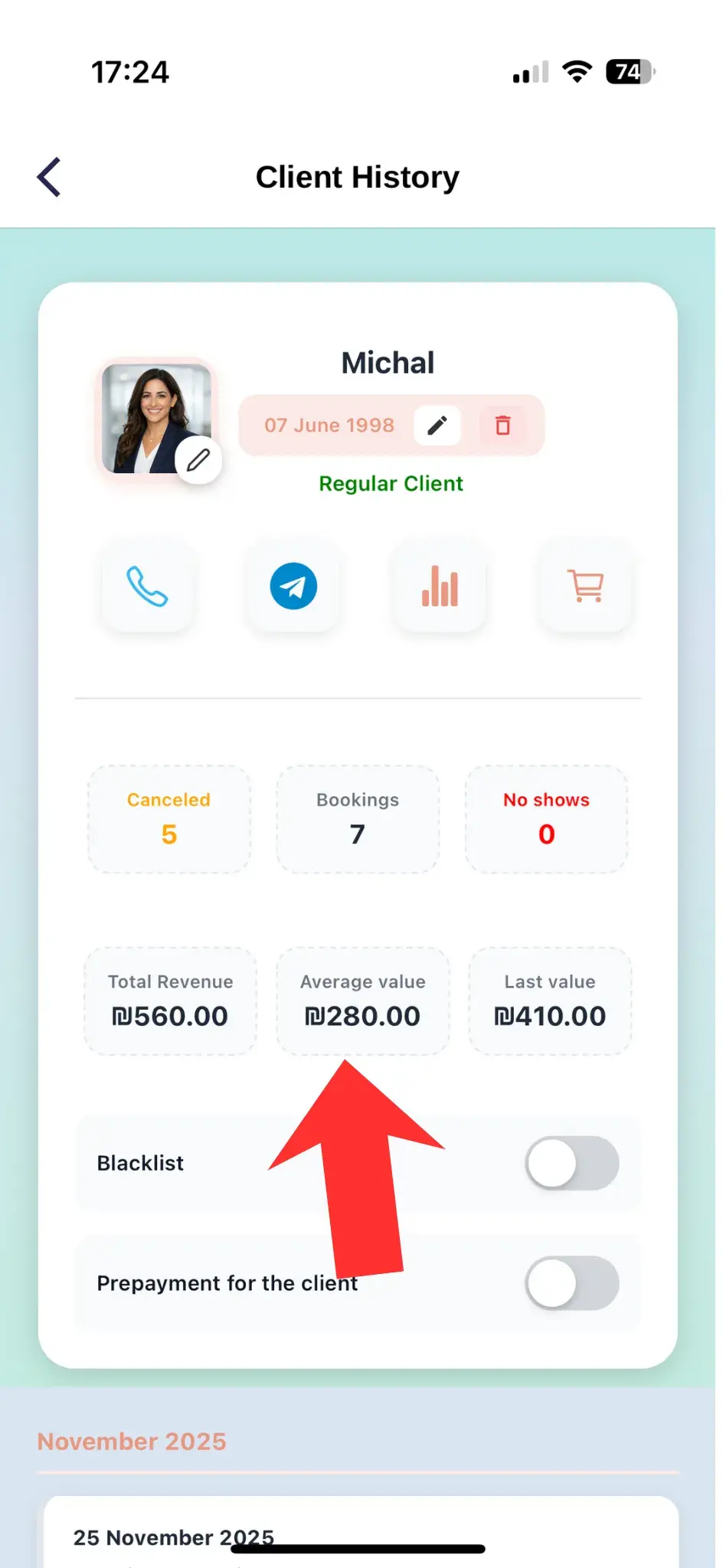
Bookings and visits
Total number of bookings
Number of completed visits
Number of cancellations
Number of no-shows
Number of products purchased
Money
Current revenue from completed appointments
Planned value of future appointments
Average client transaction
Store
Total value of services and products
Separate product revenue
Number of products purchased
Average product transaction
Client progress
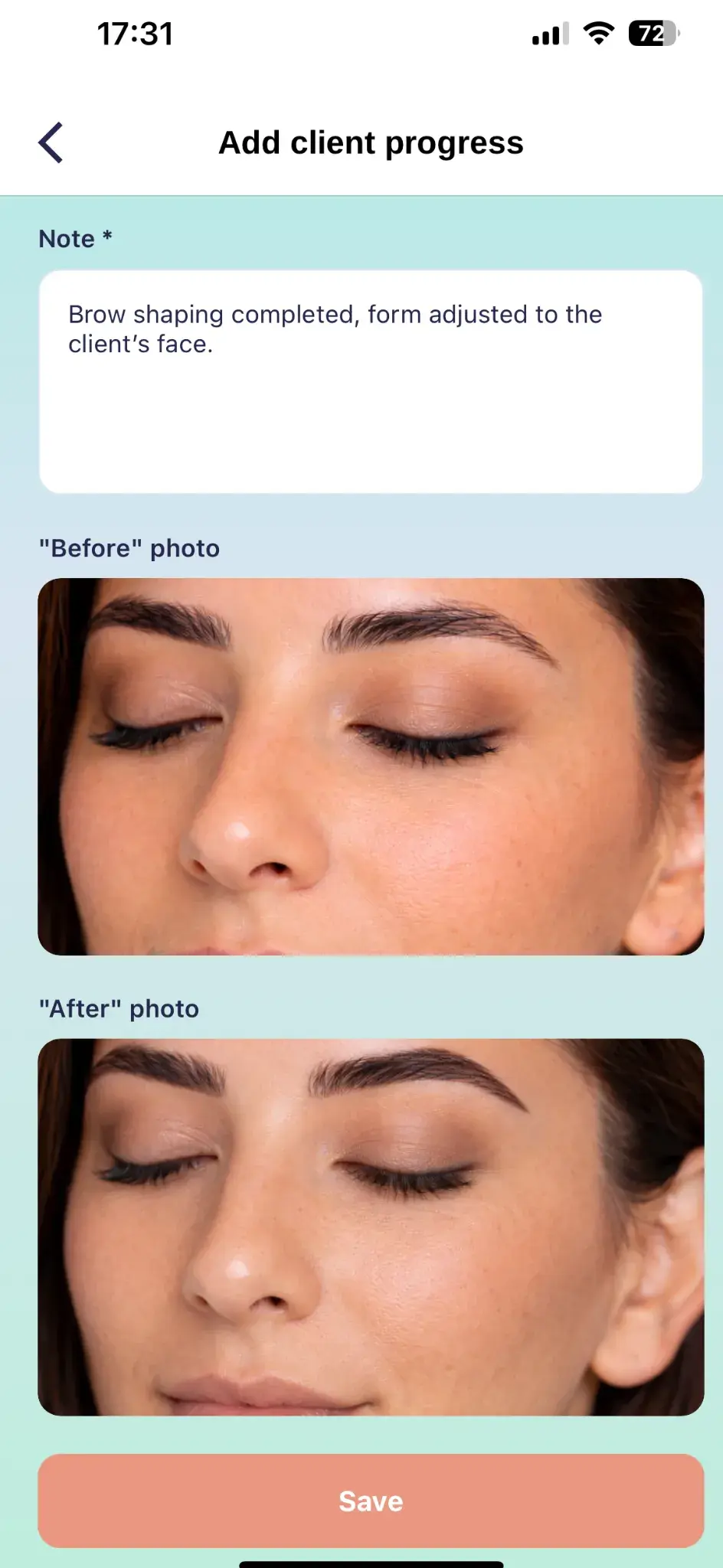
Before and after photos
Save result photos and compare changes between visits. This is useful for procedures, treatment plans, and long-term client work.

Client settings
Individual rules and additional options
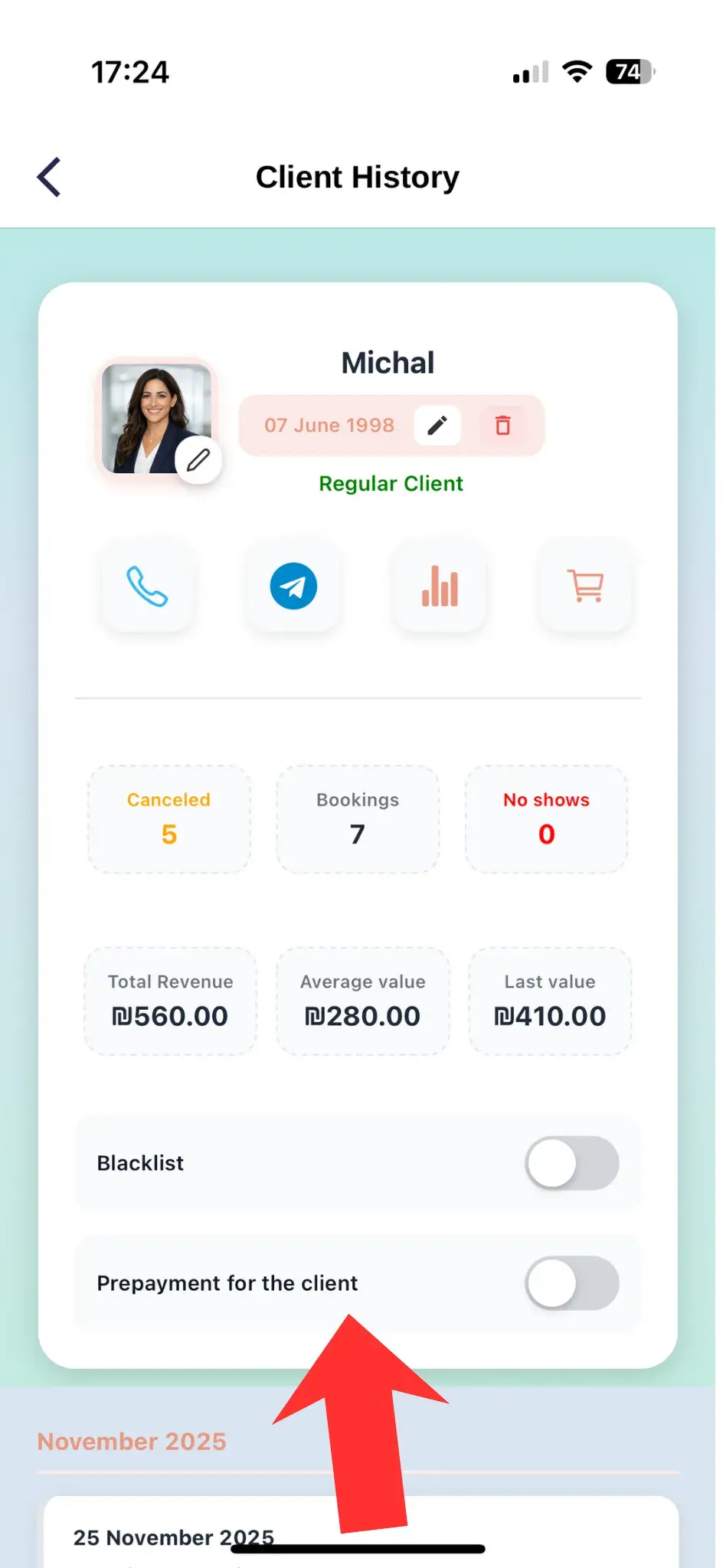
Add the client to the blacklist
Set an individual prepayment
Choose the client's message language
Configure client tags and icon
Open the client's loyalty card
Open the complete visit history
The profile gives you the complete client picture
Keep contact details, debt, tags, and additional information up to date so you have the right client information before every appointment.